
Free for funeral directors: the collection folder and photo conversion
As a funeral director you know the problem: the most beautiful photos of a loved one are scattered across relatives' phones, laptops and shoeboxes — often in formats that are not directly usable. The Last Farewell offers two free tools for exactly this: the collection folder and photo conversion. Both cost nothing and come with no obligations.
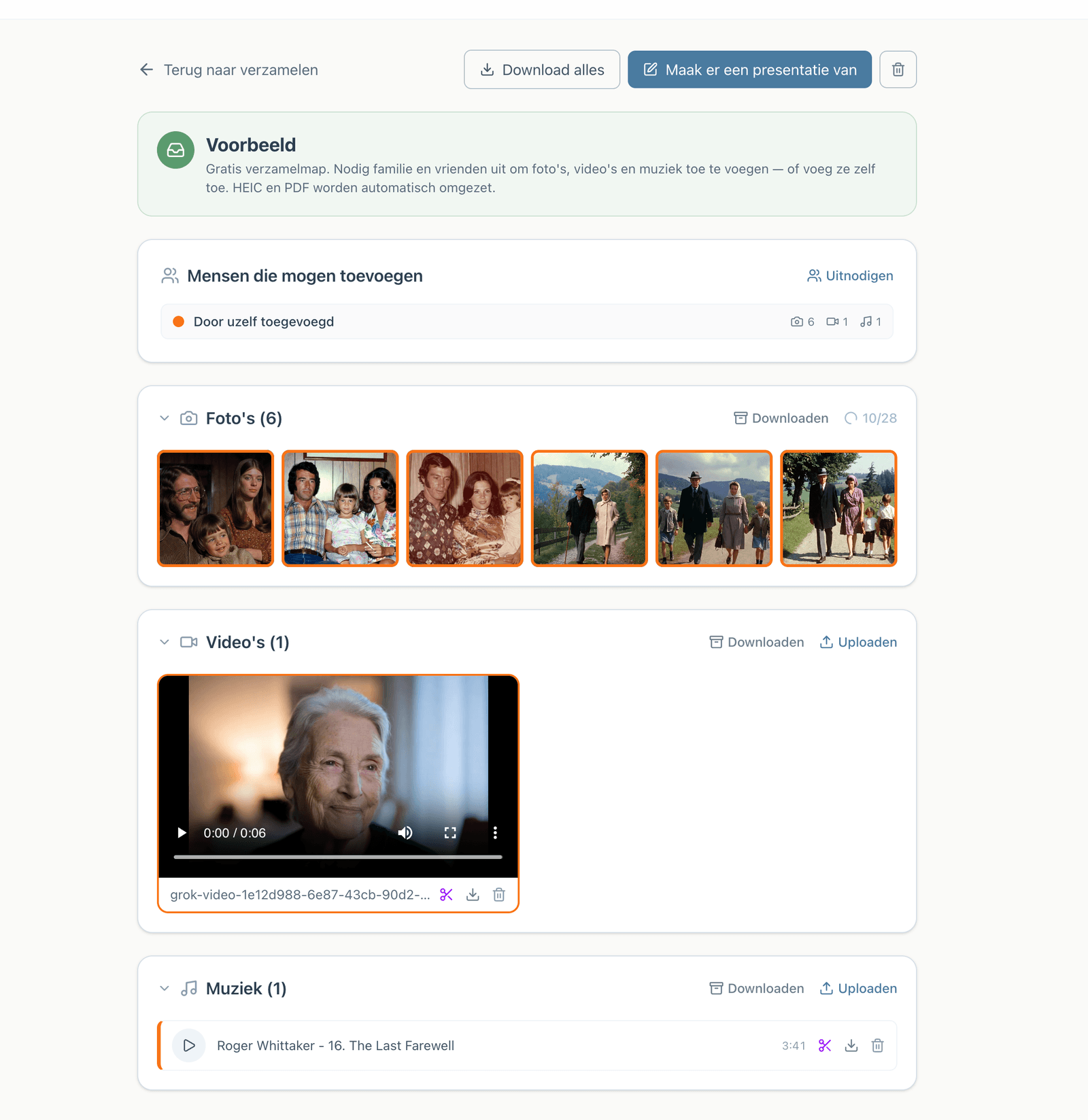
The collection folder: everything in one place
A collection folder is a free folder in which you collect photos, videos and music together with the family. This is how it works:
Step 1: Create a collection folder
In your dashboard, click "New collection folder". It takes seconds — give the folder a name and you are done.
Step 2: Invite the family with a link
You share a single link with the family. Family members sign in with just their email address and a code (no password) and upload from phone, tablet or laptop, without installing anything.
Step 3: The family delivers, in any format
HEIC photos from an iPhone, JPEG, PNG and even PDFs are converted automatically. Family members never have to convert anything themselves.
Step 4: Turn it into a presentation — when the family is ready
A collection folder is deliberately not yet a presentation. Everything arrives calmly in one place. When the moment comes, you turn it into a farewell presentation in a single step, with photos automatically distributed across the music.
Collecting is completely free. Payment only happens when a farewell presentation is exported — as a funeral director you choose per project between an invoice or direct payment.
Photo conversion: from HEIC, PDF or RAW to JPEG
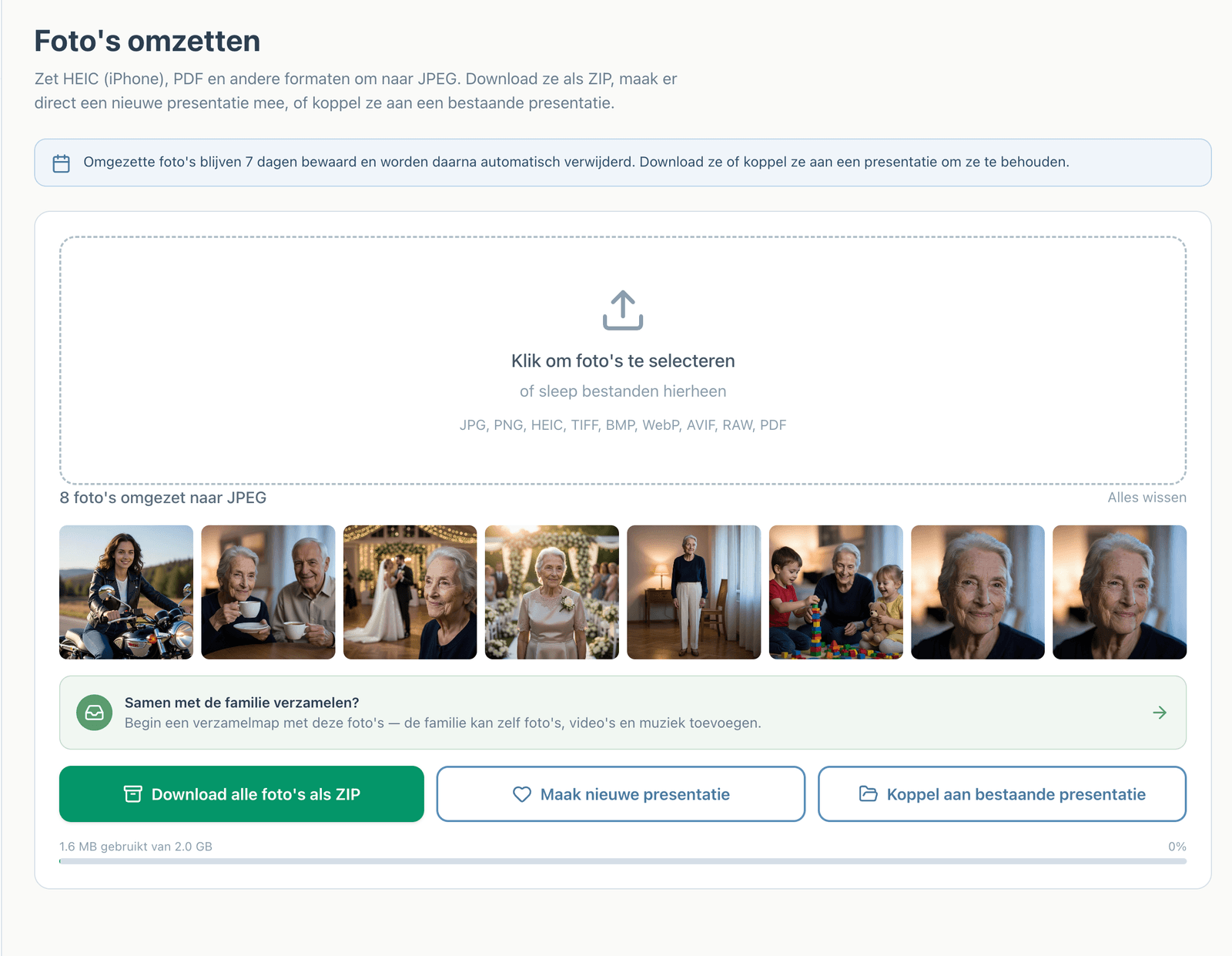
Families deliver photos in every imaginable format. With the "Photo conversion" tool you drag them onto your screen in one go:
- Supported formats: JPG, PNG, HEIC (iPhone), TIFF, BMP, WebP, AVIF, RAW and PDF
- Result: everything is converted to JPEG that works everywhere
- Then you choose: download everything as a ZIP file, create a new presentation right away, or attach the photos to an existing presentation
How long are converted photos kept?
Converted photos remain available for 7 days and are then deleted automatically. This way, families' memories never linger on a server unnecessarily. Want to keep them? Download them as a ZIP or attach them to a presentation.
Note: the "Photo conversion" tool is meant as a workbench, not an archive. Download converted photos within 7 days or attach them to a presentation.
From collecting to farewell presentation
Everything that arrives in a collection folder is immediately usable for a farewell presentation:
- Photos are automatically distributed across the music duration — pick a song and the timing is right
- The family can search music via Spotify or YouTube while creating; on export, their own MP3 is included
- Exporting comes in three formats: PowerPoint (.pptx) for most funeral homes, numbered JPEGs for venues with their own playback system, or the Farewell Player that works without internet
- The family always works for free, on phone, tablet or laptop
Frequently asked questions
Are these tools really free?
Yes, completely. Collecting, converting, viewing and adjusting costs nothing. Payment only happens when a farewell presentation is exported.
Does the family need an account?
Yes, but it takes a minute: just an email address and a code, no password and no installation.
Can I have multiple collection folders at the same time?
Yes, you create a separate collection folder per family. That keeps everything neatly separated.
What happens to the family's files?
Material in a collection folder is stored safely with the project. Individually converted photos (via "Photo conversion") are deleted automatically after 7 days.
How do I get started?
Request a free trial account via the page for funeral directors. No payment details needed, no subscription.
Summary
With the free collection folder and the photo conversion tool you can take work off families' hands before a single presentation exists: everything arrives in one place, every file format works, and when the family is ready, the farewell presentation is one step away.
Zelf een presentatie maken?
Met The Last Farewell maakt u samen met familie een mooie afscheidspresentatie. Gratis te proberen, u betaalt alleen bij export.
Begin wanneer u er klaar voor bentCreate a presentation yourself?
Create a beautiful photo presentation together with family.
Start when you're ready