
A running order for the funeral
The whole day in one overview: before the service, the service itself and what follows
Start for freePay only when you download, with iDEAL | Wero or card
Upload together
Family add their own photos
Create together
You select the most meaningful photos
Watch together
View the presentation with family
One overview for the whole day
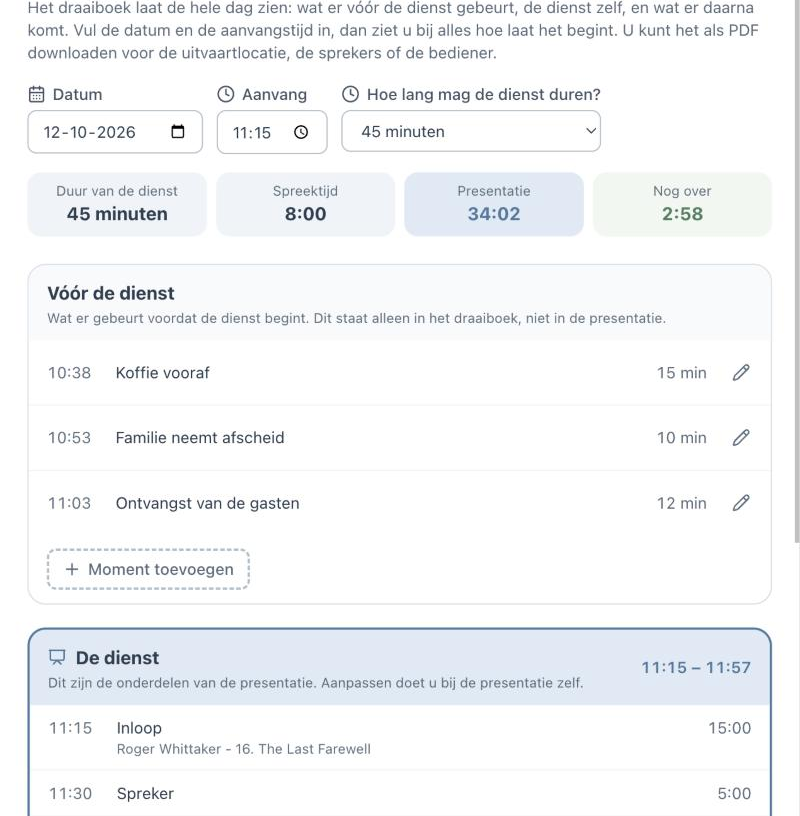
A funeral running order shows what happens when. Not only during the service, but also before and after: receiving the guests, the family's farewell, coffee afterwards. At The Last Farewell you make it in the same place as the presentation. You enter the date and the starting time, and every part shows when it begins. If something changes, the times move along.
Easy to use
Create together with family
Professional result
Ready within an hour
How to make a funeral running order
You start with the date, the starting time and how long the service may last. The funeral running order then has three parts, one below the other: before the service, the service, and after the service.
Under "before the service" and "after the service" you add moments yourself: a name and the number of minutes. For example "Receiving the guests, 15 minutes" or "Coffee and condolences, 45 minutes". The running order works out the starting time.
The middle part, the service, does not need to be filled in separately. It consists of the parts of your presentation: the walk-in, the speakers, the photo presentation with music, the closing. When you change the presentation, the running order is right again at once.
What is in the running order?
Before the service
Everything that happens before the service begins: the family arriving, a last farewell, receiving the guests. These moments are only in the running order, not in the presentation.
The service
The parts of the presentation in the right order, with starting time, duration and the music that goes with them. This part is also called the order of service.
After the service
What follows: carrying out, going to the grave or the crematorium, coffee and condolences. Everyone knows roughly when the day ends.
A moment of your own
A poem, a moment of silence or lighting candles can be added to the service as a moment of your own. With a photo it is also shown on screen; without a photo it is only listed in the running order.
Why a running order helps
- You see at a glance whether the service fits within the time
- Speakers know when it is their turn and how long they have
- The venue gets exact times for music and images
- Times move along when something changes
- Presentation and running order always match
Together with family and the funeral director
You can invite family and friends to help. They get access with their email address and a code, and can supply photos and music for the parts of the service.
Would you like help filling it in? In the simple view you can ask the assistant to add a moment, for example: "Put reception with coffee at half past ten, twenty minutes." You can always do it yourself as well.
Two PDFs: the day and the service
You can download two documents. The running order of the day contains everything: before, during and after the service, with the total time per part. The order of service contains only the service itself, for the speakers and for whoever operates the presentation. Making, viewing and changing the running order is free; downloading as PDF is possible once you have paid for the presentation.
Why The Last Farewell?
With us the running order is not a separate document. It belongs to the presentation you make together with family. Photos from any phone work straight away, including HEIC from the iPhone, and the photos are spread over the length of the music automatically.
You choose music from your own MP3s; while making the presentation you can also listen via Spotify and YouTube. When downloading you get the presentation as PowerPoint, as numbered photos or in the Farewell Player, with your own MP3s included.
It works on phone, tablet and laptop, with nothing to install. Making and viewing is free; you only pay when downloading, once you are satisfied.
Prefer to go step by step? The assistant can help
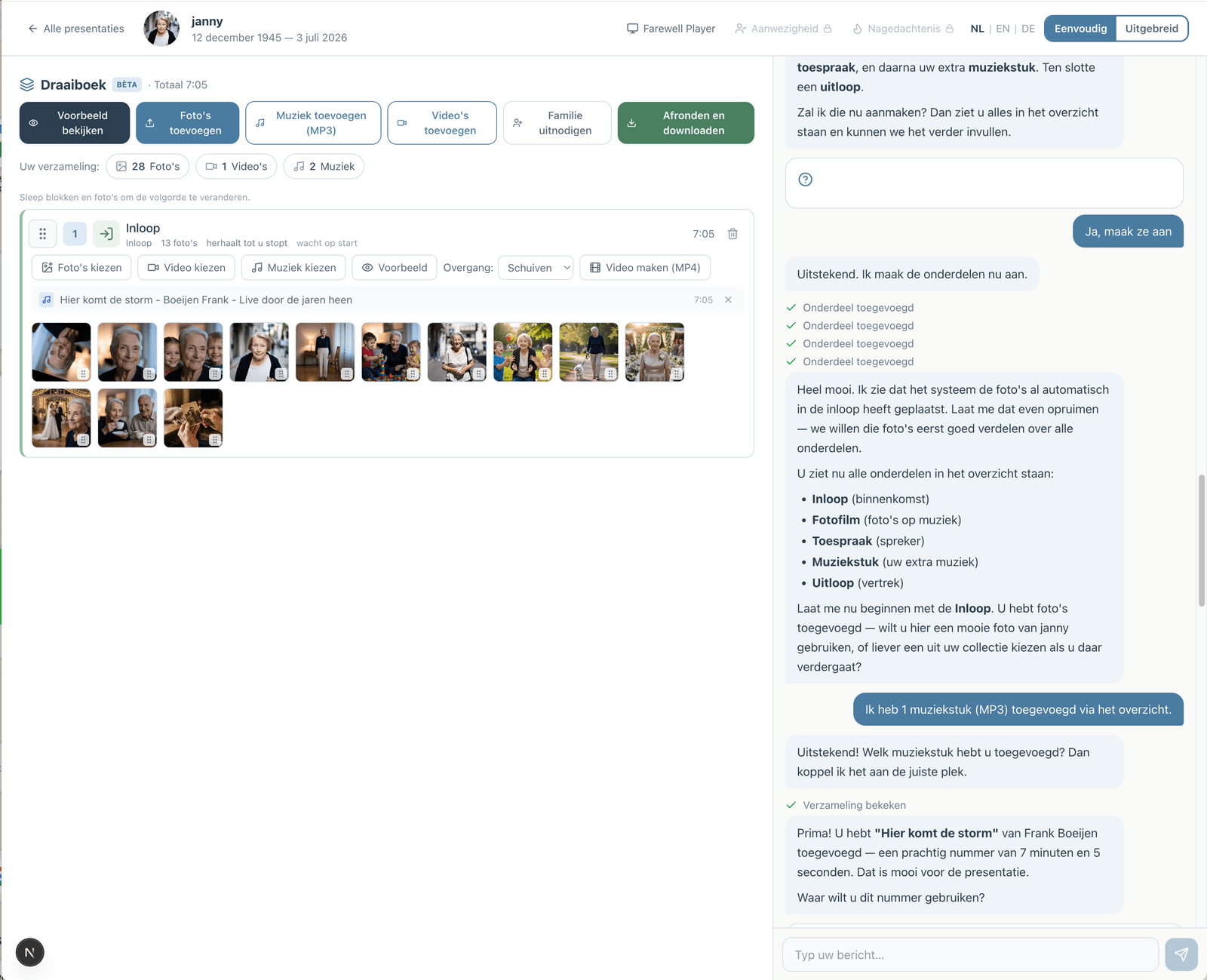
If you would rather not figure everything out yourself, you can work with an assistant in the simple view. You describe how the service will go; the assistant prepares the parts, the music and the photos. You make the choices, and you can switch to the advanced view at any time.
How the assistant worksHow does it work?
Create a free account
Upload photos and videos
Choose music and customize
Download or share the presentation