
All features
Everything you need for a farewell presentation
You want a fitting farewell, without wrestling with software. Here you can read what The Last Farewell does, in plain words. You can try everything for free; you only pay when you download the presentation.
You are not on your own
An assistant that thinks along with you
Not sure where to start? The assistant suggests a simple outline for the service and sets it up for you. You ask in plain words what you want, for example "put this clip between the photos" or "add a part for the speaker", and the assistant does it. You can also do everything yourself with the buttons; the assistant never decides for you.
- Suggests an outline: walk-in, speaker, photo presentation and closing
- Places parts, photos, videos and music for you when you ask
- Explains how things work and points out the right button
- Helps you write a speech, in your own words
- Points out duplicate photos, and checks for blurry or too dark photos if you say yes
Good to know: the assistant helps you get started for free. The assistant costs us money to run, so in the free version the number of changes you can make with the assistant is limited. Once you reach that limit, you continue yourself with the buttons (everything keeps working), or you pay for the presentation and the assistant helps you again right away. You never pay separately for the assistant.
Everyone has photos
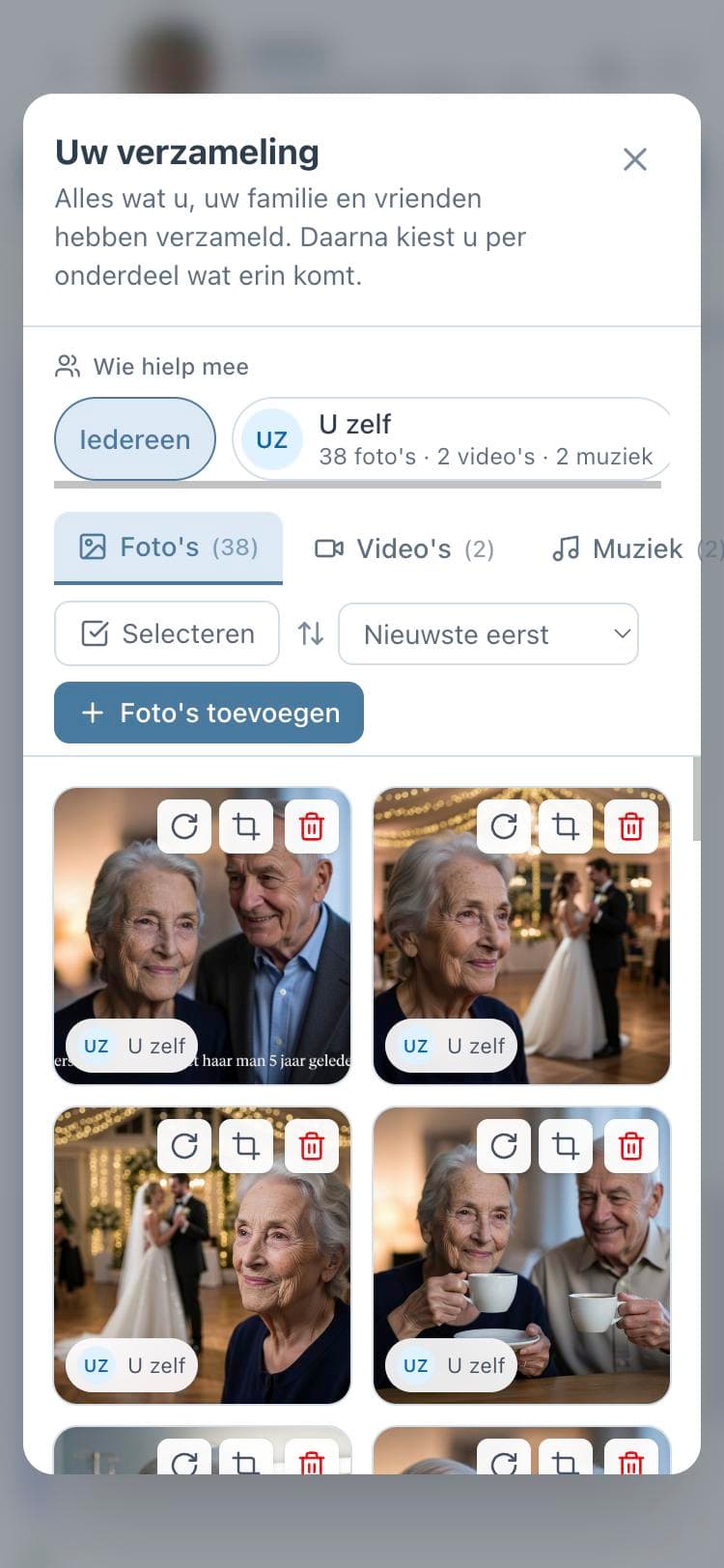
Collect together, without sending files back and forth
The best photos are often on someone else's phone. You invite family and friends by email. They sign in with just their email address and a code, and add their photos, videos and music to the collection themselves. You see who each photo came from and decide what goes into the presentation.
- Invite by email, with a message you can also forward yourself
- Everything from everyone in one place, viewable per person
- You choose who may only add and who may also edit
- Works on phone, tablet and computer; nobody needs to install anything
No fuss with files
Every photo works, including from the iPhone
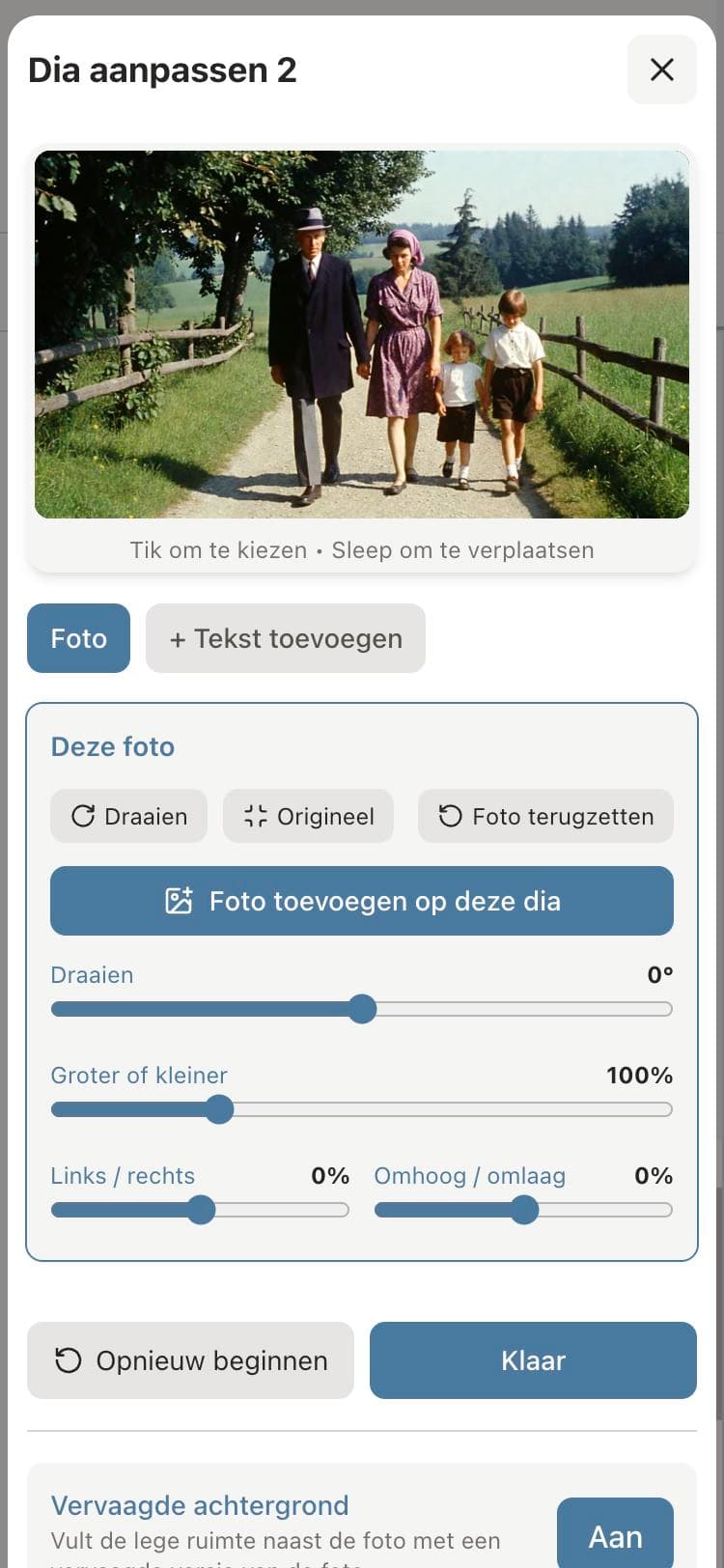
You do not have to convert anything. iPhone photos, regular photos, scans and even PDFs are made suitable automatically. After that you can frame each photo exactly the way you want.
- iPhone photos (HEIC), JPEG, PNG, scans and PDF
- Rotate, enlarge or shrink and move with sliders
- Text on a slide, for example the name with the dates
- A second photo on the same slide, a photo frame or a blurred background
The service in parts
A part for every moment of the service
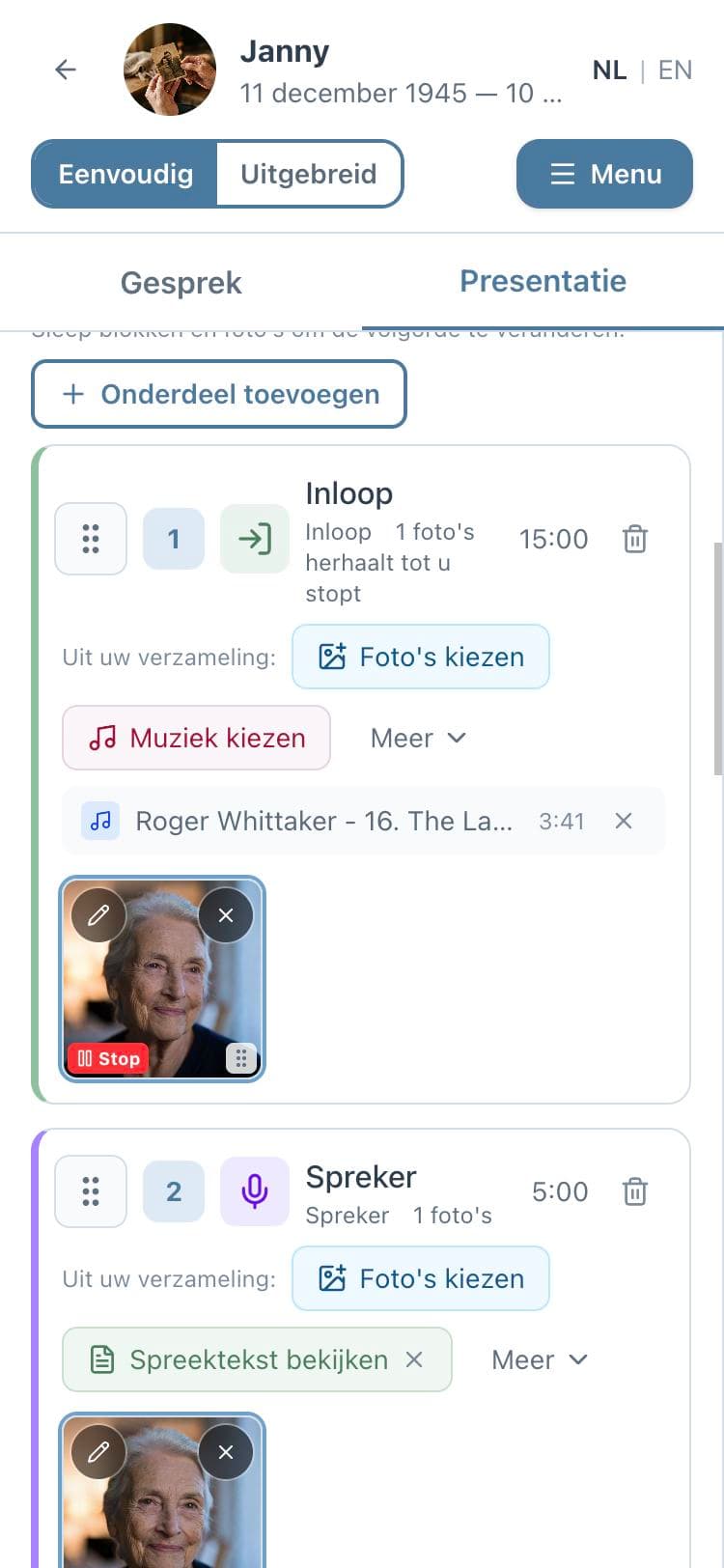
A farewell consists of moments. You build the presentation from parts that fit those moments and put them in the order of the service. You can always drag them around.
One photo that returns: choose a main photo for the service, for example a lovely portrait. Speakers and own moments get it automatically. For each part you switch it on or off, or still choose a different photo.
Walk-in
Photos and music that keep playing while the guests arrive.
Speaker
One photo that stays on screen during a speech, with the speech text kept alongside.
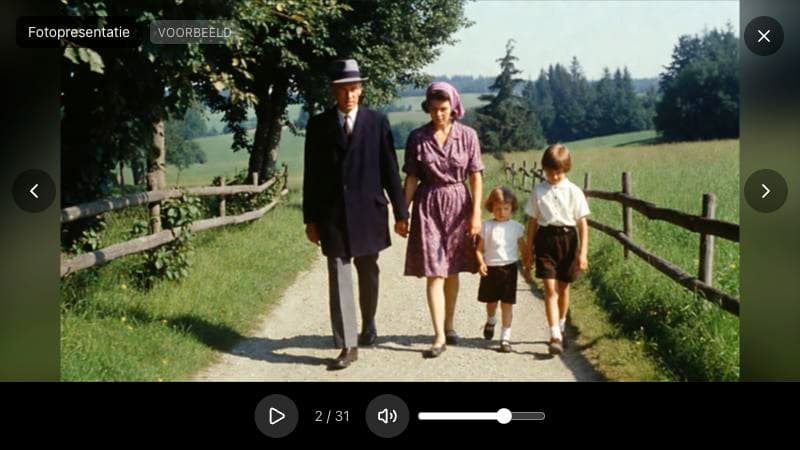
Photo presentation with music
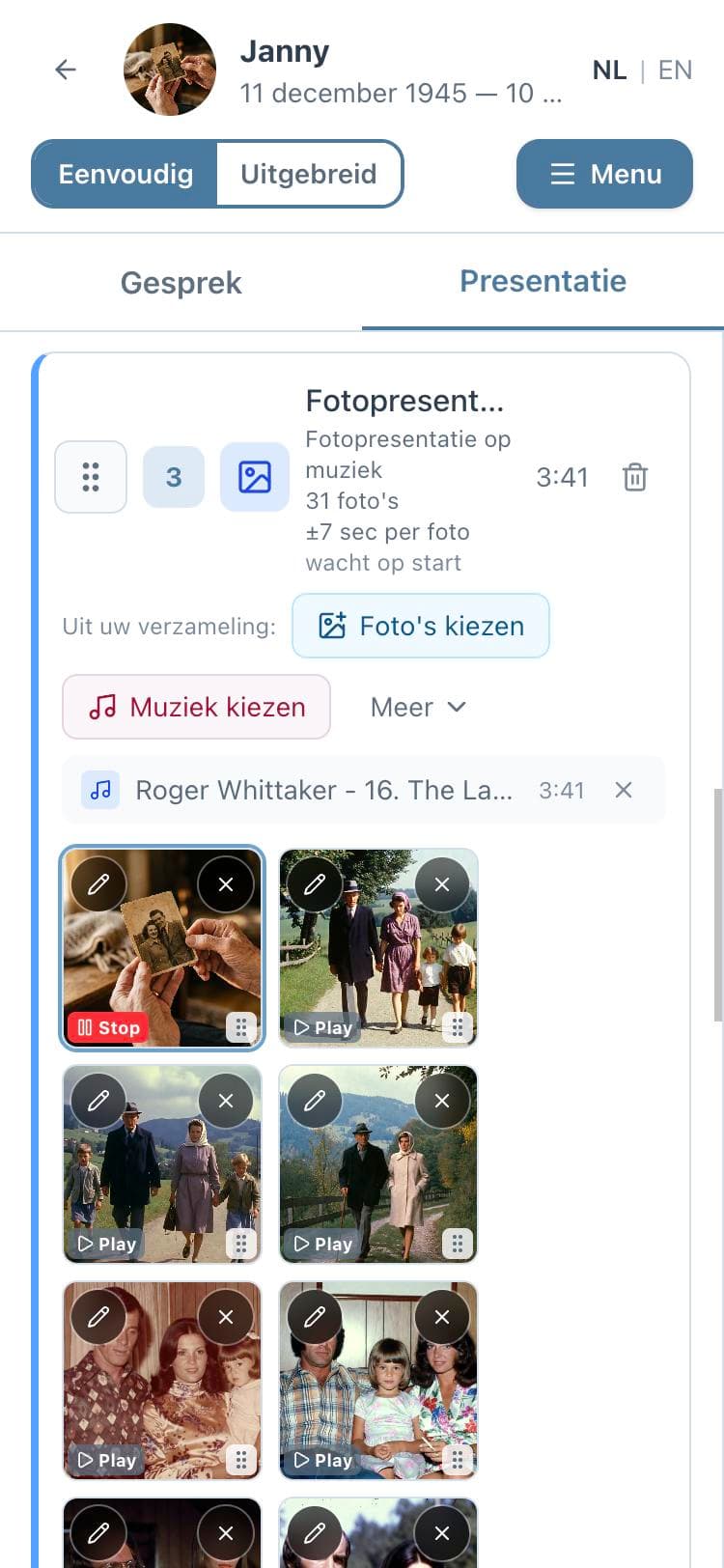
The photos change by themselves, for exactly as long as the song lasts.
Piece of music
A song to listen to, with or without photos.
Video compilation
One or more clips in a row, optionally with soft music underneath.
Looping music piece
Music and photos that continue until you move on, for example during condolences.
Closing
A calm ending while the guests leave the room.
The right music
Music that fits, even when the song is too long
You add your own music and choose which part it belongs to. The photos spread themselves over the length of the song. Is the song too long, or do you only want the chorus? Then you trim it.
- Add your own music files (MP3, M4A or WAV)
- Is the song only in a video? Then you use the sound from that video
- Trim a song to the part you want, with a soft fade in or out
- Several songs in a row in one part
- In the advanced view you can also search and listen via Spotify and YouTube; the download contains your own music file
Moving images
Add clips the way you want
A clip sometimes says more than ten photos. You put a video between the photos, give it its own moment, or show a few in a row. iPhone videos are converted automatically.
- A video between the photos: the music simply continues
- A video as its own part, with its own sound
- Trim a video to the part that matters
- Choose per video whether the sound is on or off
See first, then decide
Watch the preview as often as you like
At any moment you can see how the presentation will look, with the music. The preview stops at the same moments as it will during the service, so you know what happens when someone presses start. Want to show it to someone? Send a viewing link with a PIN.
- Preview of the whole presentation or of one part
- Free, with a watermark, as long as you have not paid yet
- Viewing link with PIN for someone following from a distance
- Everything stays editable, also after viewing
Calm on the day itself
A running order for the speakers and the funeral director
You enter how long the service may last and what time it starts. You see right away whether everything fits, and for each part at what time it is due. You download the running order as a PDF for whoever needs it.
- See whether the presentation fits within the time of the service
- The clock time for each part
- Running order of the day and order of service as PDF
- A checklist for the day itself: who clicks when
Delivering to the venue
Exactly the file the funeral home asks for
Every venue works differently. Ask in advance what they use; when downloading you choose what fits, and you can always download another format later.
PowerPoint
What most funeral homes use. The timing is already set and your own music is included.
Numbered photos
For venues with their own playback system: 001.jpg, 002.jpg, in the order of the service.
Farewell Player
Our own playback program. Everything is included and it works without internet.
Video (MP4)
A part as a video file with image and music. Plays on any screen and is nice to send afterwards.
Around and after the farewell
Also for the invitation and the memory afterwards
The presentation is not the only thing to arrange. Guests can let you know whether they are coming, and after the farewell there is a place to return to.
- Guests sign up via a link or a QR code on the funeral card
- A memorial page where people share a memory or light a candle
- The presentation is kept so you can watch it again later
- Download again whenever you want
Honest about the costs
Free to make, pay when you download
You make, view and adjust the presentation for free, with everything on this page. You pay once per presentation, at the moment you download it. No subscription. Help from the assistant is limited in the free version; after payment it continues to help you.
Frequently asked questions
Start when you are ready
You can try everything at your own pace first. Your work is kept, and you only pay when you download.