

Free to make, pay only when you download
Create a funeral presentation online together – simply and step by step.
Set out the parts of the service: the entrance, the speakers, a photo presentation set to music and the exit. Family add photos from their own phones, and the app fits everything to the music. You keep the overview; the app takes care of the rest.
- Family can help
- All photo formats
- PowerPoint, video, photos or our own player
Collect together with family
Family and friends add photos, videos and music from their own phone.
Entrance
Photos play on a loop until you stop them, while everyone finds a seat.
Speaker
A single photo without music, calmly on screen while someone speaks.
Photo presentation
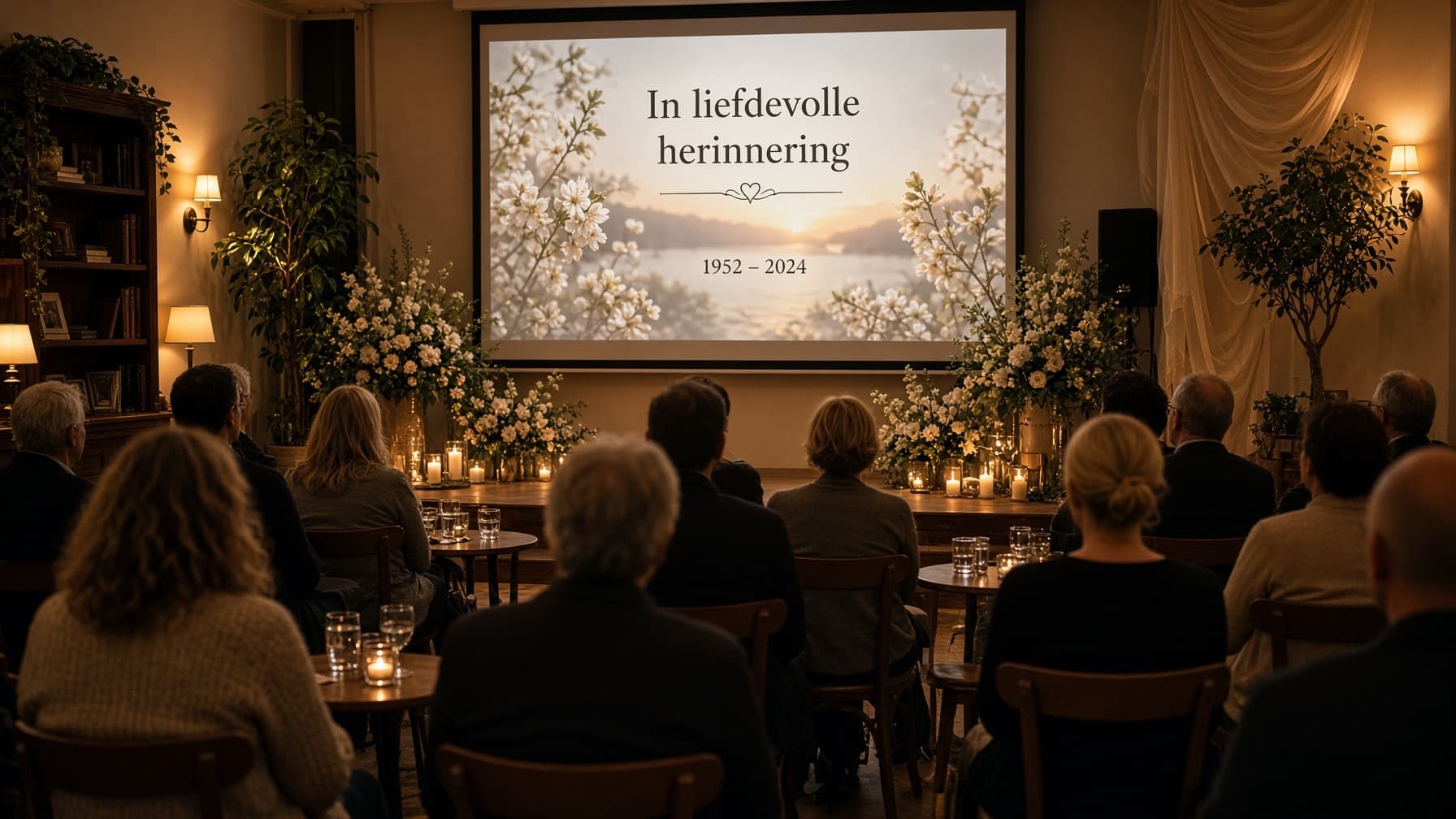
Photos change with the music. The app works out how long each photo stays on screen.
Video compilation
One or more videos in a row, with music underneath if you wish.
Moment of silence
Room to pause for a moment, with a single photo on screen.
Exit
After the last words, photos and music keep playing until you stop them.
What you can do
Everything arranged for the presentation, without the fuss
You do not need to be good with computers. An assistant thinks along with you, and you can try everything for free.
Not knowing where to start
The assistant sets up an outline for the service and does what you ask in plain words.
Photos from everyone
Family and friends add their own photos and clips to the collection.
Photos that will not open
iPhone photos, scans and PDFs work right away. Nothing to convert.
Music that does not fit
The photos spread over the song. Too long? Then you trim it.
Adding a clip
Between the photos, as its own moment, or a few in a row.
Unsure about the result
You watch the preview with music, as often as you like, before you pay.
The day itself
A running order with times: before, during and after the service. For the speakers and the funeral director.
More about the running orderThe right file
PowerPoint, numbered photos, the Farewell Player or video (MP4).
The assistant helps you get started for free. In the free version that help is limited; after you pay for the presentation it continues to help you.
How it works
Put it together yourself, or with a helping hand
Creating a funeral presentation doesn't have to be complicated. You put the service together yourself; if you would like help, an assistant sets up the running order with you. You can switch at any time without losing anything.
Put it together yourself
Choose the parts of the service, drag them into the right order and add the photos. The app adjusts how long each photo stays on screen to the music.
- Drag to change the order
- Rotate, crop and choose transitions
- Every option within easy reach
Prefer some help? The assistant
You describe in your own words how the service will go. The assistant creates the parts, adds the music and spreads the photos across them. If you are unsure about anything, simply ask.
- No technical knowledge needed
- Watch the running order take shape
- Lets you know when there are too few photos for a song
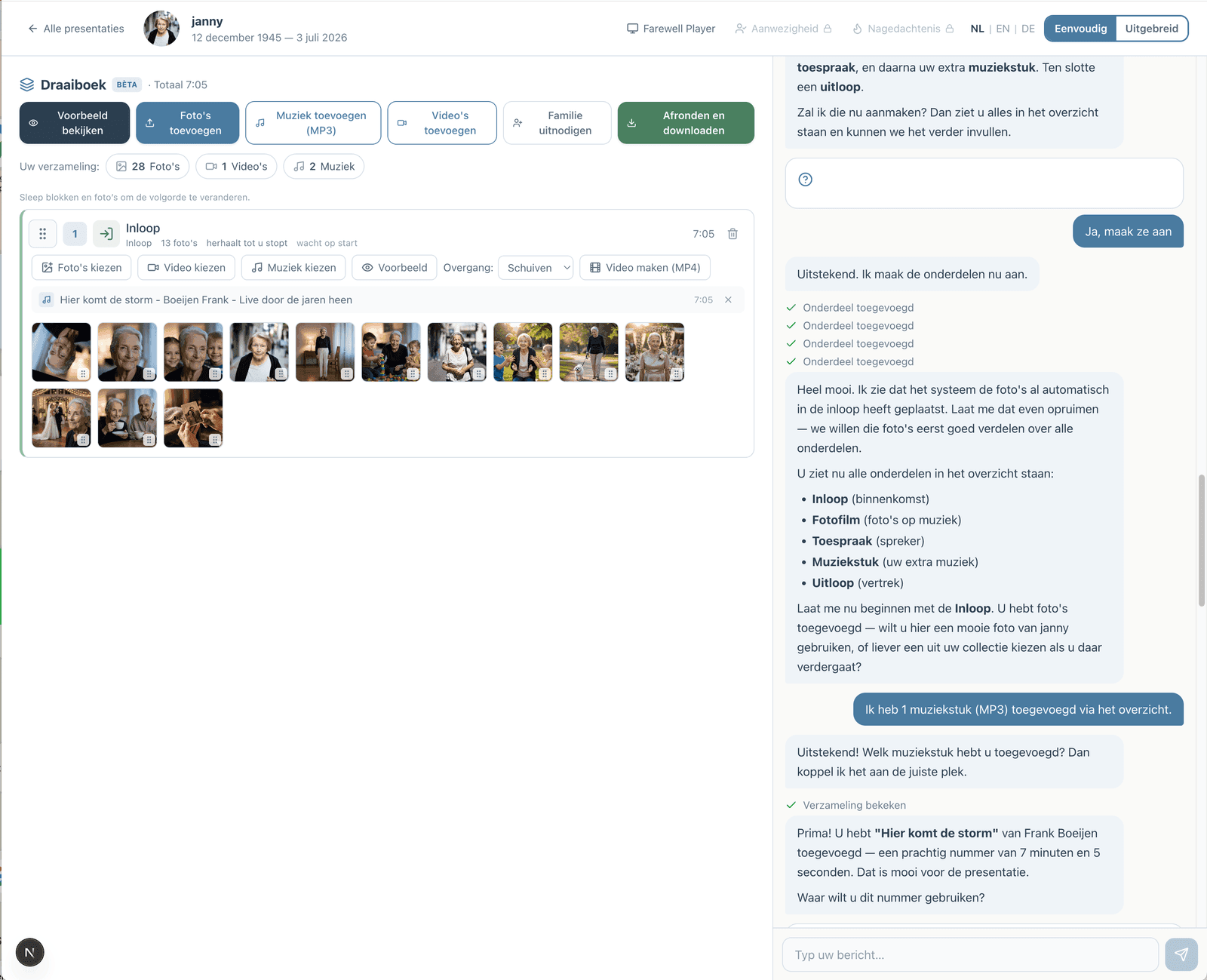
This is how it looks: the running order on the left, the chat with the assistant on the right.
Step by step
From the first photo to the day itself
- 1
Start for free
Creating an account takes a moment and needs no payment details. You can begin straight away, stop at any time and continue later. You only pay when you download, with iDEAL | Wero, Bancontact or card.
- 2
Set up the service
Choose the parts of the service and put them in the right order. If you would like help, the assistant does it together with you.
- 3
Collect together
Invite family and friends as helpers. With just their email address and a code, they add photos, videos and music from their own phones.
- 4
Preview and download
View the presentation for free and download a preview with a watermark to check it. When you are happy, you pay for the version without a watermark.
The running order
The order of the service is your presentation
Your presentation is also your running order. Add the parts of the service in the order they take place, and give each part its own photos, videos and music.
That way you have an overview of the whole funeral in one place, including the timings. In the running order of the day you also add what happens before and after the service, such as the reception and the coffee. You can download the running order as a PDF for the funeral director and the speakers.
More about the running order



Collect together
Everyone can help, even from their phone
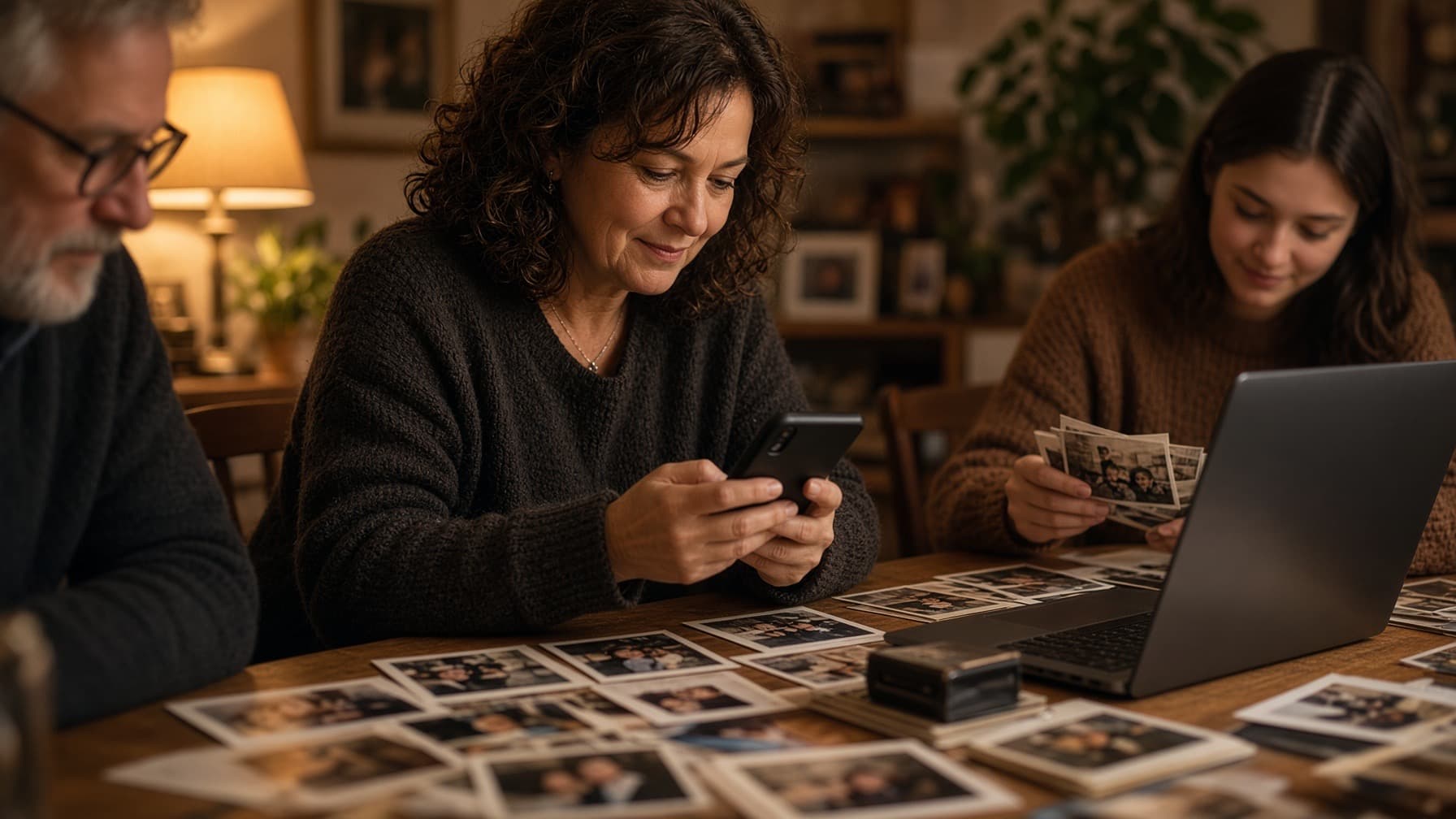
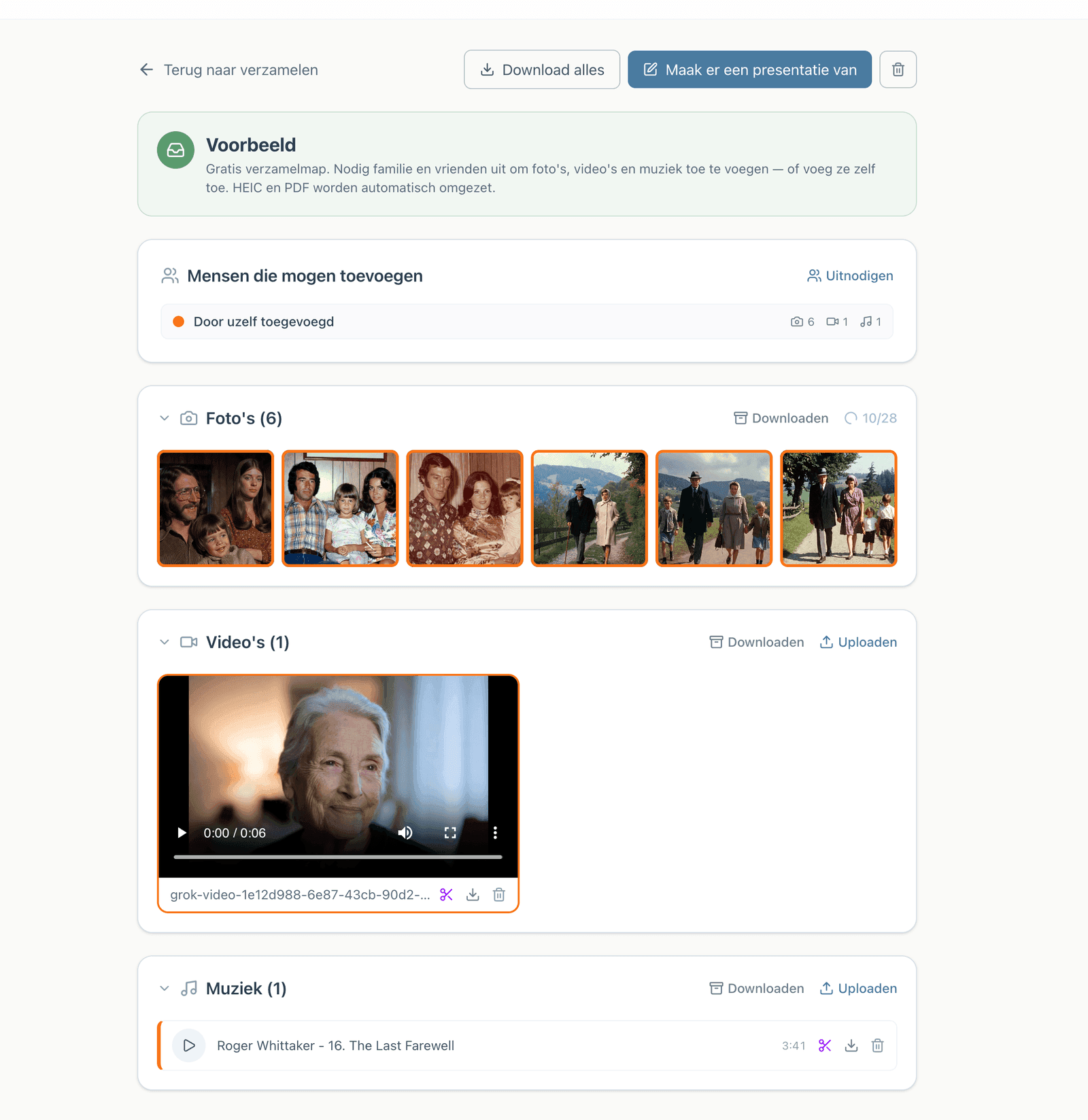
The most treasured photos are often with someone else: a sister, an old neighbour or a grandchild. Invite them as helpers. With just their email address and a code, they add photos, videos and music.
- You see what each person has added and decide what goes into the presentation.
- iPhone photos (HEIC), scans and PDFs are converted automatically.
- Look at the result together, even from a distance, and adjust until it feels right.
Delivering to the venue
Exactly what the funeral venue needs
Ask the venue beforehand what they use. When downloading you choose the format that suits, and you can always download a different format later.
PowerPoint
What most funeral venues use. Timing and transitions are already set; your own music (MP3) is included in the download.
Numbered photos
For venues with their own playback system: 001.jpg, 002.jpg … in exactly the order of the service.
Farewell Player
Our own playback program. Everything is included, photos, music and timing, and it works without internet.
Video (MP4)
Each part as a video file with images and music. Plays on any screen, even when the crematorium or venue only uses a USB stick or its own media player. Also nice to send afterwards.
You can search for and listen to music via Spotify and YouTube. The download contains your own MP3 file.
Everything at a glance
Everything for the presentation, in one place
From the first photo to the memorial page after the funeral. Everything is included; you only pay when you download.
Create
- Put it together yourself with drag and drop
- Or with an assistant who sets up the running order with you
- Parts: entrance, speaker, photo presentation, piece of music, video, moment of silence, exit
- Transitions per part: fade, slide, zoom in
- Preview the whole presentation at any time
Together
- Family and friends help as helpers
- Sign in with just an email address and a code
- Shared folder: everything from everyone in one place
- Viewing link with PIN for those watching from afar
- Works on phone, tablet and computer
Music
- Upload your own MP3 files
- Search and listen via Spotify and YouTube
- Photos change automatically to fit the length of the song
- Trim songs to the right section
- Several songs in a row within one part
Photos and video
- iPhone photos (HEIC), JPEG, PNG, scans and PDF
- Converted automatically, nothing for you to do
- Crop and rotate in the app
- Add and trim videos
- Free tools: HEIC and PDF to JPEG
Delivery
- PowerPoint (.pptx) with timing and transitions
- Numbered photos (001.jpg, 002.jpg …)
- Farewell Player: play without internet
- Video (MP4) per part
- Running order as a PDF for speakers and the funeral director
Around the funeral
- Register for the funeral via a link or QR code on the funeral card
- Memorial page where people can light a candle
- The presentation is kept so you can watch it again
- Download again whenever you like
- Free preview with a watermark before you pay
Pricing
Free to make. Pay only when it's ready.
Creating, viewing, editing and downloading a preview with a watermark: all free. For the final download you pay once. All formats are included, with no subscription.
For funeral directors
Create a project and invite the family. They make the presentation themselves, simply and step by step. You pay per funeral, by invoice or directly, and your own logo appears on the running order.
More for funeral directorsAfter the funeral, too
The presentation is kept. Share it with those who could not be there, or create a memorial page where family and friends can light a candle.
Keeping memoriesBegin when you are ready
Everything is saved. You can start today and continue tomorrow, on your own or together with your family.
Start for free