
Farewell Player
Play your farewell presentation without an internet connection. Control it with the keyboard, a wireless presenter, or your phone.
Available for Mac and Windows · Free with your presentation
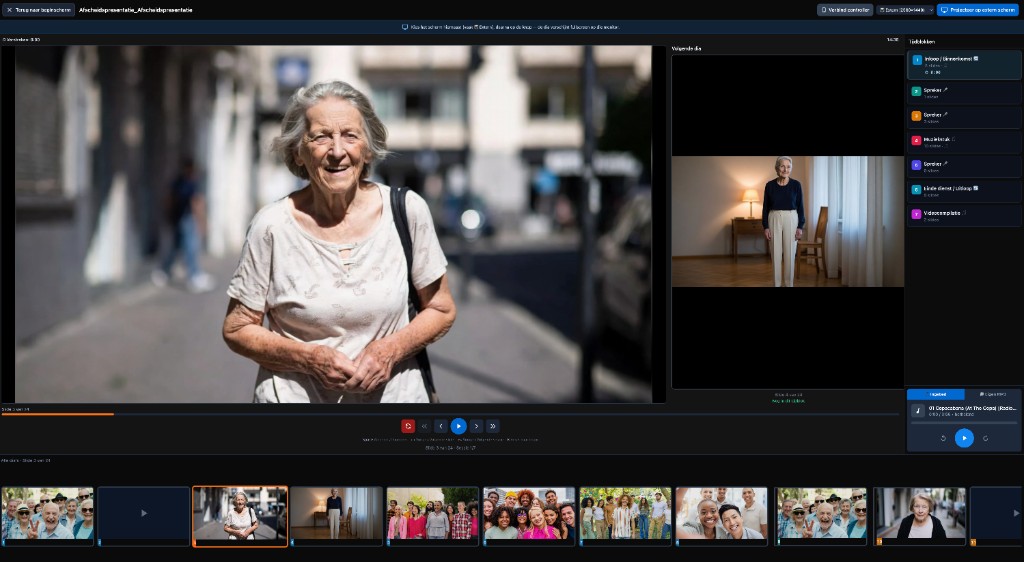
Why the Farewell Player?
Built for funerals — reliable, simple, and professional.
Works offline
No internet needed during the service. Everything is inside the .farewell file.
Professional look
Full-screen playback with smooth transitions and a clear timeline.
Music included
Your chosen music (MP3) is in the file and stays in sync automatically.
Remote control
Control playback from your phone via QR code. No extra app required.
How does it work?
Install the Farewell Player on the playback computer
Log in to your account and install the Farewell Player (macOS or Windows) from your dashboard or export area — not from a public download page.
Export your presentation
Create your presentation in The Last Farewell and export it as a “Farewell file” (.farewell). All photos, videos, and music are included.
Open and play
Double-click the .farewell file. The Player opens automatically and you can start playback immediately.
Control during the service
You can control the presentation in several ways. Choose what fits your situation.
Keyboard
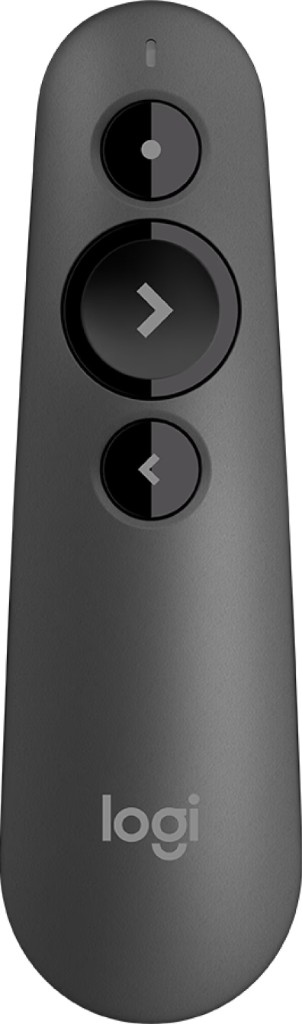
Wireless presenter
A Logitech-style presenter (or similar) works out of the box with the Farewell Player. The buttons behave like arrow keys on your keyboard.
- No configuration
- Plug and play
- Freedom to move while presenting
Phone
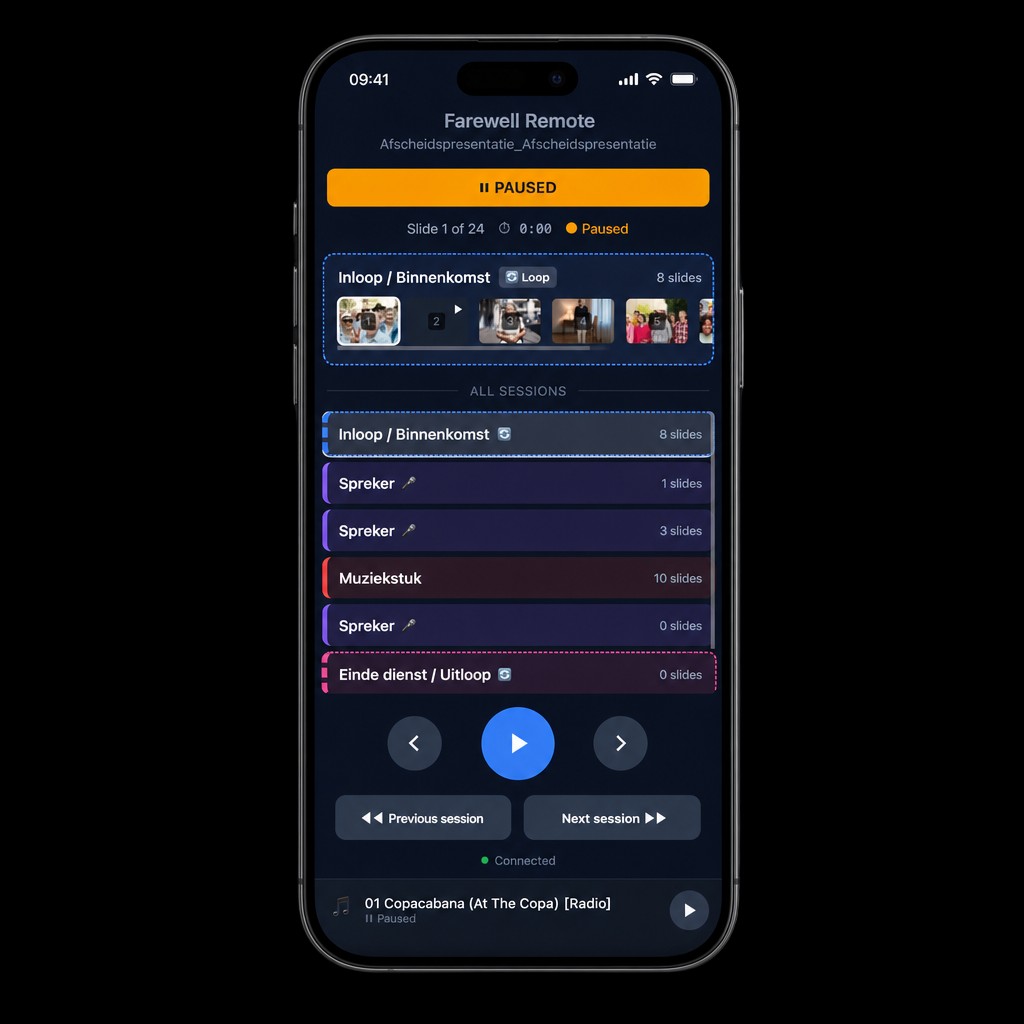
Connect your phone via the QR code in the Player. You get a full control panel with all sessions and slides.
Control from your phone
Scan the QR code in the Player with your phone. You get access to all sessions, can move between slides, and see live status. Ideal for running the show from the venue.
- No app install required
- Works in any device browser
- See all sessions and slides
Supported session types
The Player recognises the session type and adjusts behaviour automatically.
Arrival / Gathering
Loop mode while guests are arriving.
Music piece
Photos timed to the music.
Video compilation
Videos with original audio, played one after another.
Speaker
Pauses automatically until you press space.
Loop
Repeats until you press space.
End of service / Exit
Loop mode as guests leave.
Tips for the service
Frequently asked questions
What is the Farewell Player?
The Farewell Player is a free desktop app for Mac and Windows that plays funeral presentations without an internet connection. It is built for funeral services and supports music pieces, video compilations, loops, and speaker sessions.
How do I control the Farewell Player during the service?
You can use: 1) Keyboard (space to play/pause, arrows to navigate), 2) A wireless presenter such as Logitech (plug and play), or 3) Your phone as a remote via QR code. For phone control, laptop and phone only need the same Wi‑Fi network — no public internet required.
Which session types does the Farewell Player support?
It supports arrival/gathering (loop for guests), music piece (photos synced to music), video compilation (videos with sound), speaker (auto-pause), loop (repeat until space), and end of service/exit.
Do I need internet to use the Farewell Player?
No. Playback is fully offline; photos, videos, and music are in the .farewell file. Phone remote only needs local Wi‑Fi, not internet.
How do I get a .farewell file?
Create your presentation in The Last Farewell and export it as a “Farewell file”. It contains all photos, videos, and music and opens in the Farewell Player. Export is available from your project export menu.
Get started with the Farewell Player
The Farewell Player is free for Mac and Windows. You will find the download in your account after creating a presentation.
Start for free